5G User Plane Establishment Call Flow
5G User Plane Establishment explains how a session becomes a real data path instead of only a control-plane promise.
It combines PFCP forwarding setup, NGAP access resource creation, and first live packets into one operational procedure.
Introduction
This page is useful whenever a session appears to exist on paper but traffic still does not pass.
The strongest troubleshooting pattern is to compare what the gNB was asked to create, what the UPF actually installed, and what the first real packets did afterward.
What Is User Plane Establishment in Simple Terms?
- What starts the procedure: A session needs an operational user-plane path.
- What the UE and network want to achieve: Make packets flow reliably between UE, gNB, and UPF.
- What success looks like: Both control and packet traces show the intended path is active.
- What failure means: The path is missing, partial, stale, or mis-correlated.
Why this procedure matters
Many 5G incidents are not registration failures or session failures at all. They are user-plane-establishment failures where the session exists but the packets never got a healthy path.
Quick Fact Sheet
| Procedure name | 5G User Plane Establishment |
|---|---|
| Domain | 5G NR + 5GC data-path creation between access and UPF |
| Main trigger | A PDU session or service needs an operational user-plane path |
| Start state | Control-plane context exists, but the final N3 path is not yet proven active |
| End state | Packets can flow between UE, gNB, and UPF over the intended user-plane path |
| Main nodes | UE, gNB, AMF, SMF, UPF |
| Main protocols | NGAP, PFCP, NAS support signaling, GTP-U |
| Main success outcome | The intended user-plane tunnel and access resources are active and carry traffic correctly |
| Main failure outcome | The session looks ready in control signaling but the packet path is missing, stale, or misrouted |
| Most important messages | PDU Session Resource Setup Request/Response, PFCP session establishment or update, first user-plane packets |
| Main specs | TS 23.502, TS 23.501, TS 29.244, TS 38.413 |
Preconditions
- The UE has enough control-plane context to activate a session path.
- The SMF can install or update UPF forwarding state.
- The gNB can create the access-side user-plane resources.
- Traffic or test packets are available to validate the path.
Nodes and Interfaces
Nodes involved
| Node | Role in this procedure |
|---|---|
| UE | Generates the service packets that validate whether the path is truly usable. |
| gNB | Terminates the radio side and anchors the N3 tunnel toward the UPF. |
| AMF | Coordinates the control path that asks the gNB to set up user-plane resources. |
| SMF | Builds the tunnel and forwarding logic needed for session traffic. |
| UPF | Owns the user-plane endpoint, forwarding behavior, and packet handling for the session. |
Interfaces used
| Interface | Path | Role |
|---|---|---|
| NR-Uu | UE <-> gNB | Carries the radio-side packets for the session. |
| N2 | gNB <-> AMF | Delivers access-side resource setup signaling. |
| N11 | AMF <-> SMF | Connects session control to the access request. |
| N4 | SMF <-> UPF | Creates or updates the user-plane forwarding state. |
| N3 | gNB <-> UPF | Carries the live GTP-U traffic after setup. |
End-to-End Call Flow
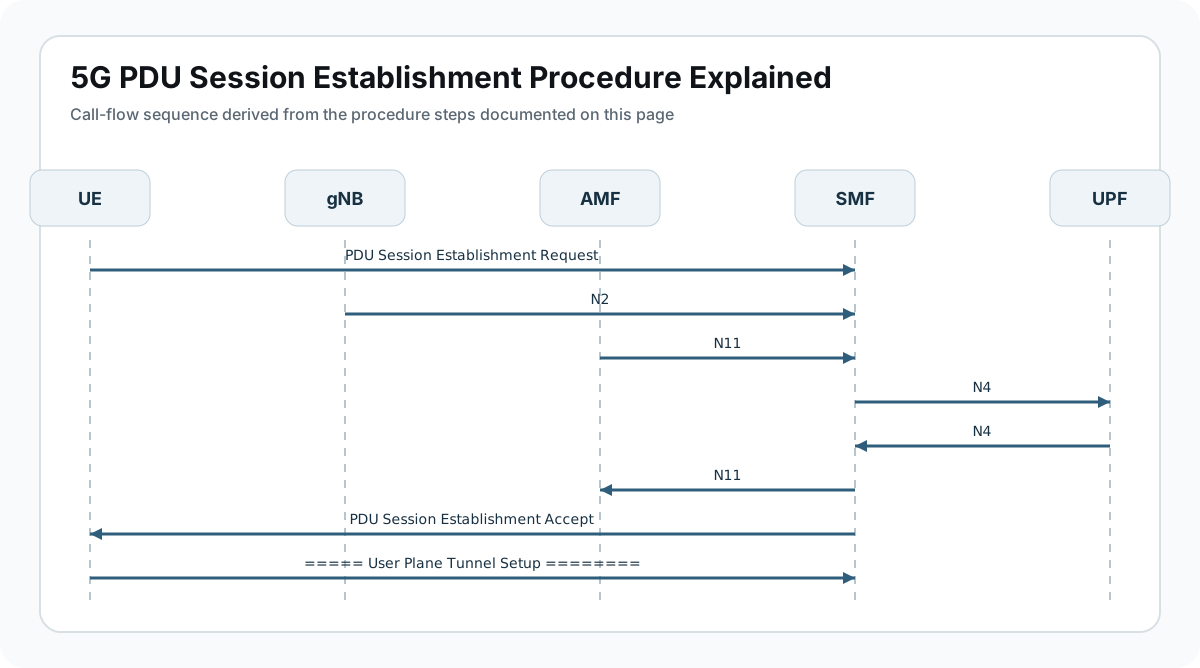
UE                gNB                AMF                SMF                UPF
|                  |                  |                  |                  |
|                  |<-- Resource Setup Request -----------|                  |
|                  |-- Resource Setup Response ----------->|                  |
|                  |                  |                  |-- PFCP install -->|
|==== first uplink and downlink packets over N3 ==================================>|
Major Phases
| Phase | What happens |
|---|---|
| 1. Session path need | A service or session event requires a usable user-plane path. |
| 2. Core path preparation | SMF and UPF prepare the data path state. |
| 3. Access resource setup | AMF instructs the gNB to establish access-side session resources. |
| 4. First packet validation | Traffic checks that the N3 path is operational. |
| 5. Stable data transfer | The path carries traffic normally and predictably. |
Step-by-Step Breakdown
The network decides a user-plane path must become active
Sender -> receiver: Session logic -> SMF / AMF
Message(s): PDU session setup or resume context
Purpose: Trigger the work needed to make data packets flow, not just signaling state exist.
State or context change: The session transitions from planned connectivity to executable transport setup.
Note: This page focuses on the data path itself rather than the broader registration or session story around it.
SMF prepares forwarding state in the UPF
Sender -> receiver: SMF <-> UPF
Message(s): PFCP session establishment or update
Purpose: Create the rules that allow packets to be forwarded through the intended UPF path.
State or context change: The core-side user-plane anchor is ready or nearly ready.
Note: Without correct PFCP state, later access-side success cannot create a working packet path by itself.
The gNB receives resource setup instructions
Sender -> receiver: AMF -> gNB
Message(s): PDU Session Resource Setup Request
Purpose: Tell the RAN what transport and QoS context to activate for the session.
State or context change: The access side begins creating the path that meets the core-side UPF state.
Note: This is the most important checkpoint for proving the gNB got the intended session context.
The gNB confirms resource creation
Sender -> receiver: gNB -> AMF
Message(s): PDU Session Resource Setup Response
Purpose: Acknowledge that the access-side transport path was created.
State or context change: The network now claims the path should be live end to end.
Note: Treat this as a strong clue, not final proof. The first packets still matter most.
Live traffic validates the user plane
Sender -> receiver: UE <-> gNB <-> UPF
Message(s): First uplink and downlink packets
Purpose: Prove that the N3 path, gNB context, and UPF rules work together in reality.
State or context change: The session reaches operational data transfer.
Note: If the first packets fail, the user plane was never truly established no matter how good the control plane looked.
Important Messages in This Flow
| Message | Protocol | Direction | Purpose in this procedure | What to inspect briefly |
|---|---|---|---|---|
| PDU Session Resource Setup Request | NGAP | AMF -> gNB | Requests access-side setup for the session user plane. | Best view of what the gNB was asked to create. |
| PDU Session Resource Setup Response | NGAP | gNB -> AMF | Confirms the gNB finished the requested setup. | Use it to compare requested vs accepted resources. |
| PFCP Session Establishment or Update | PFCP | SMF <-> UPF | Creates the forwarding state in the UPF. | Critical for proving the user plane exists in the core. |
| First user-plane packets | GTP-U | UE <-> UPF via gNB | Reveal whether the path actually carries traffic. | The most important operational checkpoint. |
Important Parameters to Inspect
| Parameter | What it is | Where it appears | Why it matters | Common issues |
|---|---|---|---|---|
| PDU Session ID | The session whose user plane is being created. | NGAP, PFCP, NAS context | Anchor for every later correlation step. | Wrong session ID is a common source of confusion. |
| Tunnel endpoint context | Transport identifiers used on the active path. | NGAP and GTP-U state | Shows whether the gNB and UPF agree on the path. | Mismatch causes blackholing immediately. |
| QoS and DRB mapping | Access-side treatment tied to the data path. | Resource setup signaling | Ensures the data path is not only alive but correctly treated. | Missing mapping often looks like path failure. |
| PFCP forwarding rules | UPF-side logic for the session packets. | N4 trace | Best proof of core-side readiness. | Stale or partial rules create silent failure. |
| First packet timing | Delay between setup and real traffic. | Live traces | Useful for proving whether setup converged quickly or stalled. | Long gaps can expose hidden setup issues. |
Success Criteria
- The correct session is targeted for user-plane setup.
- PFCP creates the expected forwarding state in the UPF.
- The gNB accepts and creates the requested access-side resources.
- First packets pass correctly over the intended path.
Common Failures and Troubleshooting
| Symptom | Likely cause | Where to inspect | Relevant message(s) | Relevant interface(s) | Likely next step |
|---|---|---|---|---|---|
| Setup responses are present but packets never flow | Control-plane setup succeeded, but the real user-plane path is broken. | PFCP state, tunnel IDs, and first packets. | Resource Setup Response | N3, N4 | This is the defining user-plane-establishment failure. |
| Uplink works but downlink fails | The path is only partially correct or forwarding state is asymmetric. | First uplink vs downlink packets and UPF state. | Live packet traces | N3, GTP-U | Always inspect directionality explicitly. |
| The wrong session path is activated | Resource setup correlated to the wrong session context. | PDU Session ID across NGAP and PFCP traces. | Setup Request / Response | N2, N4 | This is especially easy to miss on busy UEs. |
| The path comes up with the wrong QoS behavior | The transport exists, but QoS or DRB mapping is inconsistent. | QoS and DRB mapping plus packet KPIs. | Resource setup signaling | NR-Uu, N3 | Treat this as a user-plane establishment defect, not only a QoS issue. |
Related Pages
Related sub-procedures
- 5G PDU Session Establishment
- 5G Session Recovery after Mobility / Path Switch
- 5G Session Reactivation after Idle/Inactive Return
- 5G Roaming PDU Session Establishment
Related message reference pages
- PDU Session Resource Setup Request
- PDU Session Resource Setup Response
- PDU Session Establishment Accept
Related troubleshooting pages
FAQ
What is User Plane Establishment?
It is the process of making the real packet path active between the UE, gNB, and UPF.
How is it different from PDU Session Establishment?
PDU Session Establishment is the broader session procedure; user-plane establishment focuses specifically on the operational data path.
What proves success?
The intended N3 path comes up and first packets pass correctly in both directions.
What should I inspect first?
Start with PDU Session ID, PFCP state, PDU Session Resource Setup messages, and first packets.
Why are first packets more important than control-plane success?
Because the packet path is the actual service outcome; signaling only predicts that outcome.