LTE Mandatory Field Missing Handling Call Flow
LTE Mandatory Field Missing Handling is the LTE failure-handling branch used when a procedure cannot continue normally and the network or UE has to reject, report, or classify the problem.
This page focuses on the failure path itself rather than the earlier success flow that should have happened before it.
Introduction
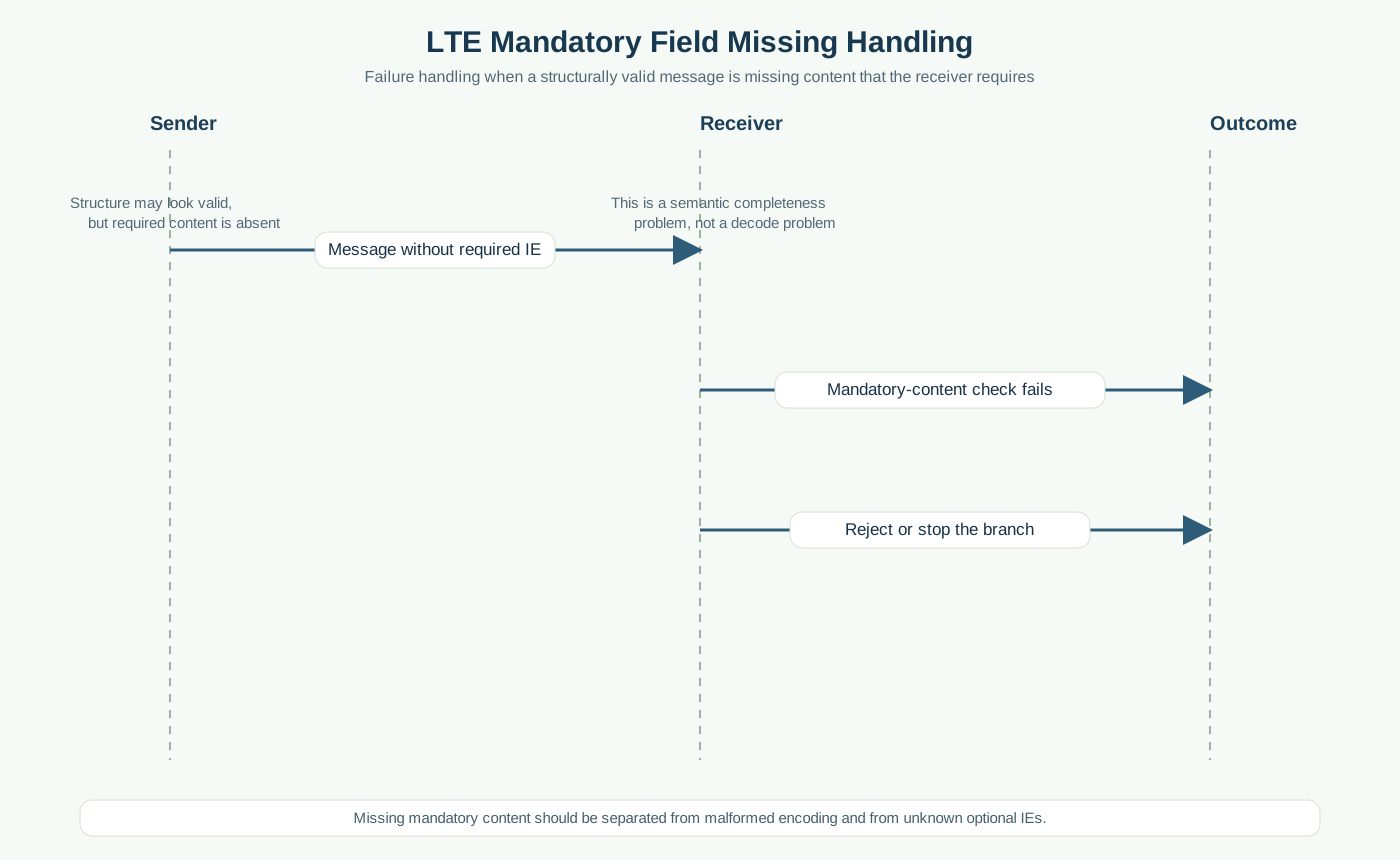
Mandatory field missing handling is used when the message can be parsed structurally, but required information is not present. This is different from total decode failure.
Use this page when the message looks valid at first glance, but the receiver still cannot continue because one required field or IE is missing.
What Is LTE Mandatory Field Missing Handling in Simple Terms?
- What starts the procedure: A received message is structurally valid enough to parse, but a mandatory field or IE is absent.
- What the UE and network want to achieve: Detect that the message is incomplete and prevent the procedure from continuing on missing mandatory information.
- What success looks like: The missing field is identified correctly and the branch is rejected for incompleteness.
- What failure means: The message is treated as valid even though a required field is absent, or the trace is blamed on the wrong failure category.
Why this procedure matters
This branch often gets confused with encoding trouble or unsupported IEs. It matters because the message may look superficially valid while still being impossible to use safely.
Quick Fact Sheet
| Procedure name | LTE Mandatory Field Missing Handling |
|---|---|
| Domain | LTE missing mandatory information handling |
| Main trigger | A received message is structurally valid enough to parse, but a mandatory field or IE is absent. |
| Start state | A wider LTE procedure is already in progress and something has gone wrong or become invalid |
| End state | The message cannot be accepted as complete and the wider procedure rejects, drops, or ends the branch |
| Main nodes | UE, eNB, MME / network side |
| Main protocols | RRC, NAS, procedure context |
| Main success outcome | The failure branch is clearly identified and the next corrective action is possible |
| Main failure outcome | The real break point stays unclear or the wrong failure branch is assumed |
| Most important messages | Procedure message with missing IE, later reject or stop behavior |
| Main specs | TS 36.331, TS 24.301 |
Preconditions
- A wider LTE procedure is already underway or has just failed.
- The network and UE still have enough context to reject, report, or classify the failure.
- The trace includes the messages immediately before and after the failure branch.
Nodes and Interfaces
Nodes involved
| Node | Role in this procedure |
|---|---|
| UE | Detects the condition, rejects the invalid branch, or reports failure context after the earlier problem. |
| eNB | Carries the LTE radio side and receives failure or reject behavior from the UE. |
| MME / network side | Interprets the reject, timeout, or failure report and decides the next correction or release step. |
Interfaces used
| Interface | Path | Role |
|---|---|---|
| LTE Uu | UE <-> eNB | Carries the reject or failure-report signaling seen on the radio side. |
| S1-MME | eNB <-> MME | Carries the wider procedure context behind the failure or reject branch. |
End-to-End Call Flow
Sender             Receiver
|--message missing IE->|
|--mandatory check---->|
|--reject / stop------>|
Major Phases
| Phase | What happens |
|---|---|
| 1. Parse the message | The receiver decodes enough structure to inspect the IEs. |
| 2. Detect the missing mandatory field | The receiver notices that required content is absent. |
| 3. Apply the handling rule | The wider branch stops because the message is incomplete. |
Step-by-Step Breakdown
Step 1: Decode the message
Sender -> receiver: Sender -> Receiver
Message(s): Message with incomplete mandatory content
Purpose: Deliver a message that looks valid enough to parse but lacks required information.
State or context change: The receiver can inspect the IE layer, unlike pure ASN.1 failure.
Note: This is why the branch must be separated from encoding failure.
Step 2: Detect the missing requirement
Sender -> receiver: Receiver
Message(s): Mandatory field validation
Purpose: Check the message against the list of required IEs or fields.
State or context change: The receiver now knows the message is incomplete and unusable.
Note: This is the decisive step that explains why the branch stops even though parsing succeeded.
Step 3: End the branch
Sender -> receiver: Receiver -> peer or internal handling
Message(s): Reject, release, or procedure stop
Purpose: Apply the failure rule for incomplete content.
State or context change: The wider procedure no longer treats the message as acceptable input.
Note: The missing mandatory field is the real reason, not the later visible stop behavior.
Important Messages
| Message | Protocol | Direction | Purpose in this procedure | What to inspect briefly |
|---|---|---|---|---|
| Attach Reject | NAS | Network -> UE | Useful visible outcome when incomplete mandatory content makes a registration branch fail hard. | Check whether the reject is caused by earlier incomplete content rather than a later independent cause. |
| Security Mode Reject | NAS | UE -> Network | Useful visible outcome if a UE-side branch cannot accept incomplete protected content. | Check whether a required field was missing in the earlier command or context. |
Important Parameters to Inspect
| Parameter | What it is | Where it appears | Why it matters | Common issues |
|---|---|---|---|---|
| Missing field name | The exact required field or IE that was absent. | Decoded message content | Explains why the message could not be accepted. | The trace says “invalid message” without identifying the absent requirement. |
| Mandatory vs optional status | Whether the absent field was really required. | Spec check and decoded message | Prevents over-calling optional IE absence as a hard failure. | Optional content is misread as mandatory. |
| Decode success | Proof that the message structure itself was readable. | Parser stage | Separates this branch from encoding failure. | A structure failure is mistaken for a missing mandatory IE. |
| Procedure impact | What the wider procedure needed that field for. | Wider context | Shows how the missing IE prevented normal continuation. | The message is analyzed without the wider procedure need. |
| Later stop behavior | What happened immediately after the incomplete message was detected. | Later messages | Confirms how the network or UE handled the incomplete branch. | The visible stop is read without proving the missing field first. |
Successful Completion
Success here means the missing mandatory content is identified precisely and the branch is not confused with another failure category.
Common Failures and Troubleshooting
| Symptom | Likely cause | Where to inspect | Relevant message(s) | Relevant interface(s) | Likely next step |
|---|---|---|---|---|---|
| Message decodes, but the real missing field is never identified | The analysis stops at the visible reject and never checks the required IE list. | Decoded IE content and mandatory-field expectation. | Incomplete message and later reject | Protocol-specific | Identify the exact absent field before looking at later behavior. |
| Trace says “mandatory field missing,” but the field was optional | The mandatory/optional distinction is being read incorrectly. | Spec meaning and decoded content side by side. | Procedure message | Protocol-specific | Re-check the IE status before classifying the branch. |
What to Check in Logs and Traces
- Prove that the message decoded before calling this a missing mandatory field case.
- Name the exact absent IE instead of stopping at the reject message.
- Read the missing field inside the wider procedure context.
Related Pages
Related sub-procedures
Related message reference pages
Related troubleshooting pages
Notes
This branch assumes the message decoded structurally. The failure comes from incompleteness at the IE or field level, not from total parsing failure.
FAQ
What is mandatory field missing handling in LTE?
It is the failure branch used when a message is decodable but still incomplete because required content is absent.
How is this different from encoding failure?
Encoding failure means the message could not be parsed structurally; this branch assumes it could be parsed but still lacked required content.