LTE WLAN Status Reporting Procedure Call Flow
LTE WLAN Status Reporting Procedure is the UE-to-network reporting path used when the LTE side needs an explicit current view of the WLAN connection state.
The main trace anchor is WLAN Connection Status Report r13, usually after a WLAN-aware connected-mode configuration is already active.
Introduction
This procedure is narrower than full WLAN interworking. It focuses on the reporting step itself and on how the reported status should be used afterward.
Use it when the main question is whether the UE reported the WLAN state correctly and whether the network read that report at the right time.
What Is LTE WLAN Status Reporting Procedure in Simple Terms?
- What starts the procedure: The LTE side needs a current WLAN state report from the UE.
- What the UE and network want to achieve: A fresh, explicit WLAN status that the network can use in later control decisions.
- What success looks like: The UE reports the WLAN state and later behavior matches that reported state.
- What failure means: The report is missing, delayed, stale, or inconsistent with later interworking behavior.
Why this procedure matters
A large share of WLAN interworking confusion comes from one simple question: what WLAN state did the network actually know when it made the next decision? This page centers that exact point.
Quick Fact Sheet
| Procedure name | LTE WLAN Status Reporting Procedure |
|---|---|
| Domain | UE-side WLAN state reporting |
| Main trigger | Need for explicit WLAN connection status during LTE-connected continuation |
| Start state | WLAN-aware behavior is relevant and the network needs the current UE view |
| End state | The network has a current WLAN status report to use |
| Main nodes | UE, eNB |
| Main protocols | RRC |
| Main success outcome | Current WLAN status becomes visible to the LTE side |
| Main failure outcome | Network decisions use missing or stale WLAN state |
| Most important messages | WLAN Connection Status Report r13 |
| Main specs | TS 36.331 |
Preconditions
- The UE is already in a connected state where WLAN-aware continuation matters.
- The LTE side can interpret WLAN status reports.
- A WLAN connection state exists or is changing in a way the network needs to know.
Nodes and Interfaces
Nodes involved
| Node | Role in this procedure |
|---|---|
| UE | Maintains LTE service while also exposing WLAN status or moving traffic toward an LTE-WLAN branch. |
| eNB | Decides when WLAN interworking, status reporting, or traffic steering should be applied. |
| WLAN side | Provides the WLAN connectivity path used for offload, aggregation, or IP-layer interworking. |
| Transport / anchor | Preserves the LTE-side control and bearer view behind the WLAN-assisted path. |
Interfaces used
| Interface | Path | Role |
|---|---|---|
| LTE Uu | UE <-> eNB | Carries the LTE control path used to configure and supervise the WLAN-related branch. |
| WLAN link | UE <-> WLAN side | Carries the WLAN connection that may be used for offload, aggregation, or continuity. |
| Interworking control | eNB <-> WLAN side | Carries the network-side coordination behind WLAN-aware continuation. |
End-to-End Call Flow
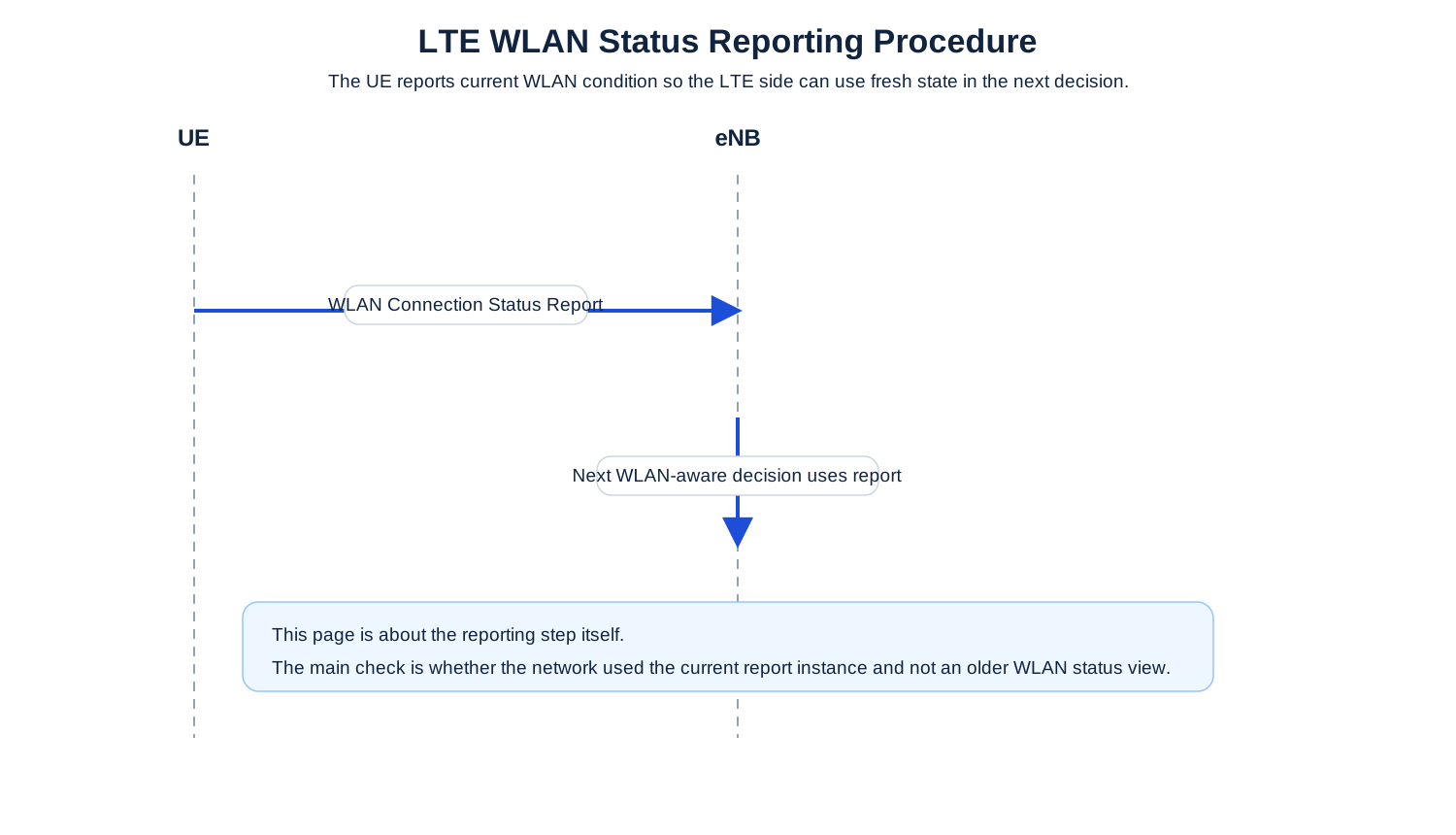
UE                    eNB
|--WLAN Status Report->|
|==== later decision uses reported state ===>|
Major Phases
| Phase | What happens |
|---|---|
| 1. Need status visibility | The network reaches a point where current WLAN state matters. |
| 2. Send the status report | The UE reports the current WLAN condition toward LTE. |
| 3. Consume the status | The network uses that report in the next relevant decision. |
| 4. Validate alignment | The later service behavior is checked against the reported status. |
Step-by-Step Breakdown
Identify that WLAN state matters now
Sender -> receiver: eNB / procedure context
Message(s): WLAN-aware continuation context
Purpose: Reach the point where LTE can no longer rely on policy alone and needs current UE WLAN status.
State or context change: The next decision depends on live WLAN visibility.
Note: This context step explains why the status report appears now and not earlier.
Report the WLAN state
Sender -> receiver: UE -> eNB
Message(s): WLAN Connection Status Report r13
Purpose: Expose the UE’s current WLAN connection condition.
State or context change: The LTE side now has explicit WLAN status to work from.
Note: This message should be the first anchor when the later decision looks inconsistent.
Read the report into the decision path
Sender -> receiver: eNB
Message(s): WLAN-aware decision use
Purpose: Use the reported status for traffic or continuity handling.
State or context change: The network is now operating from reported state, not from guesswork.
Note: If the next action ignores the report, the real issue may be decision timing or policy logic.
Validate the outcome
Sender -> receiver: UE <-> LTE / WLAN side
Message(s): Later interworking result
Purpose: Check whether later behavior actually fits the reported WLAN state.
State or context change: The reported state has now been translated into an operational outcome.
Note: This is where reporting correctness and decision correctness can be separated.
Important Messages
| Message | Protocol | Direction | Purpose in this procedure | What to inspect briefly |
|---|---|---|---|---|
| WLAN Connection Status Report r13 | RRC | UE -> eNB | Provides the current WLAN connection state. | Check the reported status value and whether it lines up with the later LTE decision. |
| RRC Connection Reconfiguration | RRC | eNB -> UE | Often enables the WLAN-aware behavior that makes the status report relevant. | Check whether the status report appears after the correct WLAN-aware configuration point. |
| RRC Connection Reconfiguration Complete | RRC | UE -> eNB | Confirms the WLAN-aware configuration was accepted. | Check whether status reporting follows the accepted configuration and not some earlier attempt. |
Important Parameters to Inspect
| Parameter | What it is | Where it appears | Why it matters | Common issues |
|---|---|---|---|---|
| Reported WLAN status | The actual WLAN condition sent by the UE. | WLAN Connection Status Report r13 | It is the core fact this whole procedure exists to expose. | Later behavior is analyzed without checking the status value first. |
| Report timing | When the report appeared relative to the network decision that followed. | Status report and next procedure step | Useful for proving whether the report was fresh enough to matter. | A correct report is treated as useless because it was read against the wrong decision point. |
| Feature enablement point | The earlier configuration that made WLAN reporting relevant. | Prior reconfiguration | Explains why the report appears in this trace branch. | The report is treated as stray signaling when it actually belongs to a configured feature path. |
| Decision outcome | The LTE-side behavior chosen after the report. | Post-report continuation | Shows whether the network used the report consistently. | The report is correct, but the decision still follows stale assumptions. |
| WLAN reality check | Whether the actual WLAN condition matched the reported state. | Cross-layer correlation | Useful when the report itself may be wrong or delayed. | A UE-side status mismatch is mistaken for a bad network decision. |
Successful Completion
Success means the UE reports the WLAN state and the next WLAN-aware network behavior matches that reported state.
Common Failures and Troubleshooting
| Symptom | Likely cause | Where to inspect | Relevant message(s) | Relevant interface(s) | Likely next step |
|---|---|---|---|---|---|
| Status report is present, but later behavior does not fit it | The network may be using stale policy, stale status, or the wrong status instance. | The latest report and the immediate next decision. | WLAN Connection Status Report r13 | LTE Uu, interworking control | Line up the exact report instance with the exact later decision. |
| No status report appears where WLAN-aware behavior is expected | The feature path may not have been enabled correctly or the report was not triggered. | Earlier reconfiguration and the decision point that needed WLAN visibility. | RRC Connection Reconfiguration, WLAN Connection Status Report r13 | LTE Uu | Prove the reporting feature was enabled before calling it a missing report problem. |
What to Check in Logs and Traces
- Treat the latest WLAN status report as the main decision anchor.
- Check whether the report belongs to the current WLAN-aware branch and not to an earlier one.
- Separate report correctness from network decision correctness.
Related Pages
Related sub-procedures
Related message reference pages
Related troubleshooting pages
Notes
This page is about the reporting step itself. Use the broader interworking page when the whole LTE-WLAN control path still needs to be mapped first.
FAQ
What is LTE WLAN status reporting?
It is the UE-side LTE RRC reporting step that tells the network the current WLAN connection state.
Why is WLAN status reporting important?
Because later interworking or steering decisions are only as good as the WLAN state the network actually knew.