What does INFO do in IMS?
It transfers service information during an active dialog without starting a new session setup request.
| Protocol | ims | Network | 5G and LTE |
|---|---|---|---|
| Spec | RFC 6086 / 3GPP TS 24.229 | Spec Section | SIP INFO method and mid-session information transfer |
| Direction | UE <-> IMS network | Message Type | SIP request method |
| Full message name | IMS SIP INFO |
|---|---|
| Protocol | IMS |
| Technology | 5G and LTE |
| Common deployment | VoNR and VoLTE |
| Direction | UE <-> IMS network |
| Interface | Gm (UE <-> P-CSCF) with onward IMS routing |
| Signaling bearer / channel | IMS SIP signaling / In-dialog service-information transaction |
| Typical trigger | The active session needs in-dialog service information or control data that does not require a new INVITE. |
| Main purpose | Lets one side transfer service information during an active dialog without treating it as a new session setup. |
| Main specification | RFC 6086 / 3GPP TS 24.229, SIP INFO method and mid-session information transfer |
| Release added | See specification history |
| Procedures where used | IMS In-Dialog Service Control |
INFO is the SIP request used to carry mid-session information inside an existing dialog.
Lets one side transfer service information during an active dialog without treating it as a new session setup.
INFO carries extra service information inside an existing SIP dialog.
Call flow position: Mid-session information transfer step.
Typical state: The dialog is active and only additional service information needs to be sent.
Preconditions:
Next likely message: 200 OK
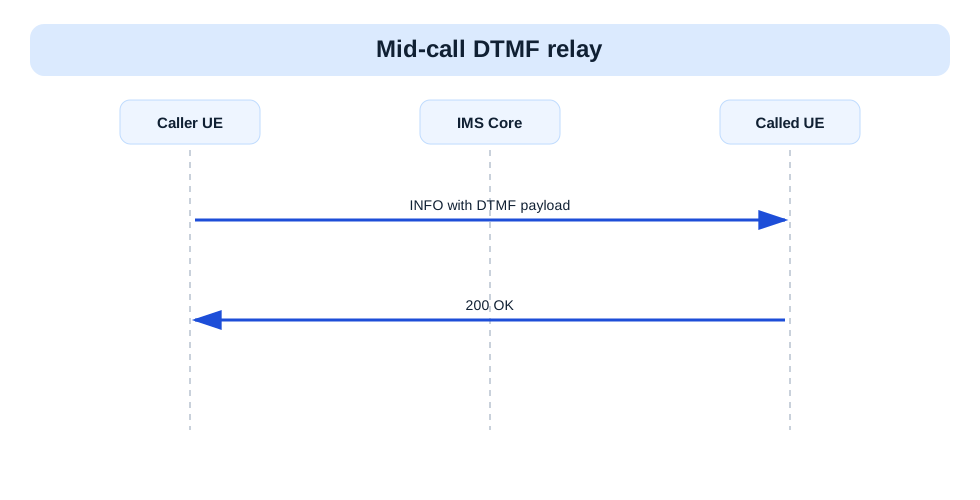
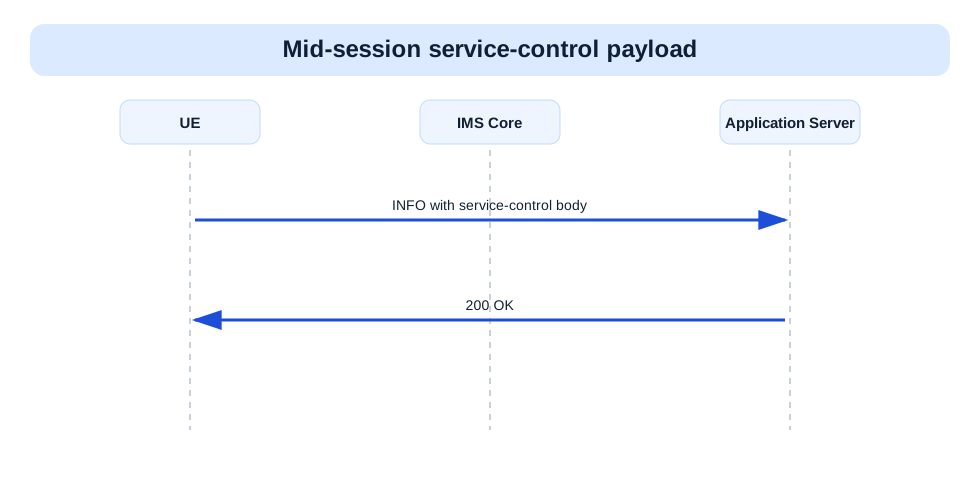
Previous message(s): Established SIP dialog
Next message(s): 200 OK
Security context: Sent inside an already established dialog.
INFO sip:user@example.net SIP/2.0
Via:
From:
To:
Call-ID:
CSeq:
Info-Package:                      OPTIONAL
Content-Type:                      OPTIONAL
Content-Length:

Info body                          OPTIONAL
INFO is SIP in-dialog transport syntax. The package name and body semantics matter more than an ASN.1-style view.
INFO sip:bob@example.net SIP/2.0
Via: SIP/2.0/UDP ue.example.net;branch=z9hG4bK-info1
From: <sip:alice@example.net>;tag=mo1
To: <sip:bob@example.net>;tag=term1
Call-ID: call-001@example.net
CSeq: 5 INFO
Info-Package: dtmf
Content-Type: application/dtmf-relay
Content-Length: 12

Signal=5
| IE | Required | Description |
|---|---|---|
Info-Package | Optional | Identifies the package of information being transported. |
Content-Type | Optional | Identifies the format of the INFO body. |
Info body | Optional | Carries the mid-session information content. |
Call-ID | Yes | Binds INFO to the active dialog. |
Info-PackageIdentifies the package of information being transported.
Presence: Optional
In practice: In practice, compare this field with the original request and with any later release-dependent optional fields so you can see whether the network accepted the same service model the UE asked for.
Content-TypeIdentifies the format of the INFO body.
Presence: Optional
In practice: In practice, compare this field with the original request and with any later release-dependent optional fields so you can see whether the network accepted the same service model the UE asked for.
Info bodyCarries the mid-session information content.
Presence: Optional
In practice: In practice, compare this field with the original request and with any later release-dependent optional fields so you can see whether the network accepted the same service model the UE asked for.
Call-IDBinds INFO to the active dialog.
Presence: Required
In practice: In practice, compare this field with the original request and with any later release-dependent optional fields so you can see whether the network accepted the same service model the UE asked for.
Likely cause: The INFO package or body may not match what the far side expects.
What to inspect: Check Info-Package, Content-Type, and the exact body content.
Next step: Compare the request with the service feature that triggered it.
It transfers service information during an active dialog without starting a new session setup request.
Decode this message with the 3GPP Decoder, inspect the related message database, or open the matching call flow to see where this signaling step fits in the full procedure.