What does UPDATE do in IMS?
It modifies session parameters inside an existing dialog without starting a brand-new INVITE.
| Protocol | ims | Network | 5G and LTE |
|---|---|---|---|
| Spec | RFC 3311 / 3GPP TS 24.229 | Spec Section | SIP UPDATE method and in-dialog session modification |
| Direction | UE <-> IMS network | Message Type | SIP request method |
| Full message name | IMS SIP UPDATE |
|---|---|
| Protocol | IMS |
| Technology | 5G and LTE |
| Common deployment | VoNR and VoLTE |
| Direction | UE <-> IMS network |
| Interface | Gm (UE <-> P-CSCF) with onward IMS routing |
| Signaling bearer / channel | IMS SIP signaling / In-dialog SIP update transaction |
| Typical trigger | One side needs to adjust session parameters, refresh an offer-answer exchange, or update dialog state during setup or after answer. |
| Main purpose | Lets one side refresh or change session parameters without ending the dialog or starting a new INVITE. |
| Main specification | RFC 3311 / 3GPP TS 24.229, SIP UPDATE method and in-dialog session modification |
| Release added | See specification history |
| Procedures where used | IMS Session Update, IMS Call Hold Resume, VoNR Mobile Originated Call, VoNR Call Hold Resume, VoLTE Call Hold Resume |
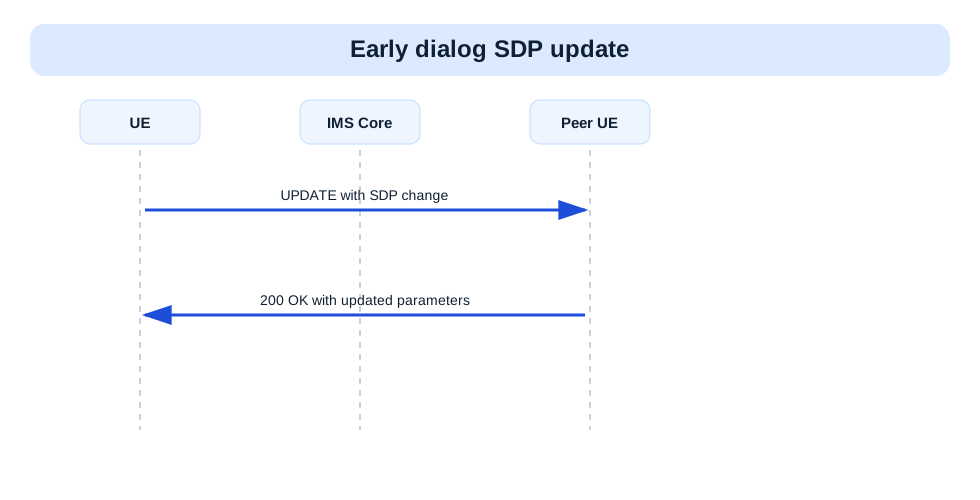
UPDATE is the SIP request used to modify session parameters inside an existing early or confirmed dialog.
Lets one side refresh or change session parameters without ending the dialog or starting a new INVITE.
UPDATE changes session details inside an existing SIP dialog.
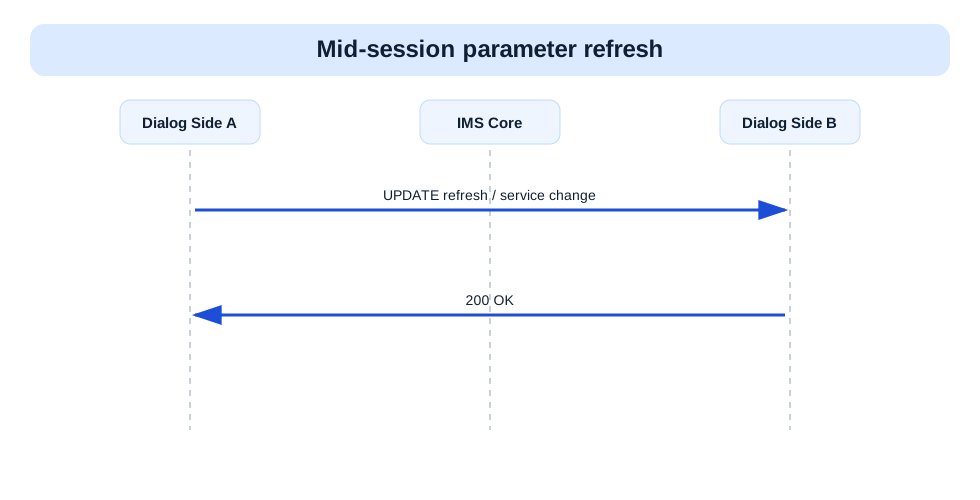
Call flow position: Mid-dialog adjustment step while the session is being prepared or already active.
Typical state: The dialog exists and only the session parameters need to change.
Preconditions:
Next likely message: 200 OK
Previous message(s): Existing early or confirmed dialog
Next message(s): 200 OK
Security context: Sent inside an already created early or confirmed dialog.
UPDATE sip:user@example.net SIP/2.0
Via:
From:
To:
Call-ID:
CSeq:
Content-Type:                      OPTIONAL
Content-Length:

SDP body                           OPTIONAL
UPDATE is SIP dialog syntax, not ASN.1. In practice, the key check is whether the dialog identifiers and SDP make sense for the active call state.
UPDATE sip:bob@example.net SIP/2.0
Via: SIP/2.0/UDP ue.example.net;branch=z9hG4bK-up1
From: <sip:alice@example.net>;tag=mo1
To: <sip:bob@example.net>;tag=term1
Call-ID: call-001@example.net
CSeq: 3 UPDATE
Content-Type: application/sdp
Content-Length: 98

v=0
o=- 2 2 IN IP4 192.0.2.10
s=-
c=IN IP4 192.0.2.10
t=0 0
m=audio 49172 RTP/AVP 96
a=rtpmap:96 AMR/8000
| IE | Required | Description |
|---|---|---|
Call-ID | Yes | Identifies the dialog being modified. |
CSeq | Yes | Orders the UPDATE transaction. |
Content-Type | Optional | Usually indicates SDP when session parameters are carried. |
SDP body | Optional | Carries the updated session offer or answer. |
Call-IDIdentifies the dialog being modified.
Presence: Required
In practice: In practice, compare this field with the original request and with any later release-dependent optional fields so you can see whether the network accepted the same service model the UE asked for.
CSeqOrders the UPDATE transaction.
Presence: Required
In practice: In practice, compare this field with the original request and with any later release-dependent optional fields so you can see whether the network accepted the same service model the UE asked for.
Content-TypeUsually indicates SDP when session parameters are carried.
Presence: Optional
In practice: In practice, compare this field with the original request and with any later release-dependent optional fields so you can see whether the network accepted the same service model the UE asked for.
SDP bodyCarries the updated session offer or answer.
Presence: Optional
In practice: In practice, compare this field with the original request and with any later release-dependent optional fields so you can see whether the network accepted the same service model the UE asked for.
Likely cause: UPDATE may carry an unsupported or mismatched session modification.
What to inspect: Check the SDP body and compare it against the prior negotiated session state.
Next step: Correlate the UPDATE with the matching 200 OK and later media behavior.
It modifies session parameters inside an existing dialog without starting a brand-new INVITE.
Decode this message with the 3GPP Decoder, inspect the related message database, or open the matching call flow to see where this signaling step fits in the full procedure.