Telecom engineering reference for protocols, messages, call flows, troubleshooting, releases, and tools.
Menu
NASLTEMME to UE3GPP TS 24.301
LTE Attach Reject
Attach Reject is the EPS NAS message the network sends when the corresponding LTE attach request is not accepted.
Message Fact Sheet
Protocol
nas
Network
lte
Spec
3GPP TS 24.301
Spec Section
5.5.1, 8.2.3
Direction
MME to UE
Message Type
EMM signaling
Full message name
LTE Attach Reject
Protocol
NAS
Technology
LTE
Direction
MME to UE
Interface
N1 over LTE access / S1-MME control path
Signaling bearer / channel
NAS signaling / Commonly carried in downlink NAS transport after the network decides not to accept the attach procedure
Typical trigger
Sent when the network determines that the attach request cannot be accepted because of subscription, identity, roaming, congestion, or related attach-control reasons.
Main purpose
Rejects the attach procedure, returns the main EMM cause for the failure, and may provide backoff or ESM information that changes how the UE should retry or stop.
Main specification
3GPP TS 24.301, 5.5.1, 8.2.3
Release added
Release 8
Procedures where used
LTE Attach Procedure, Initial Access, Combined EPS Attach, Re-attach after Context Loss
Attach Reject is the EPS NAS message the network sends when the corresponding LTE attach request is not accepted.
Rejects the attach procedure, returns the main EMM cause for the failure, and may provide backoff or ESM information that changes how the UE should retry or stop.
Why this message matters
Attach Reject is the network telling the UE that the LTE attach procedure was not accepted and why the UE should not continue the current attach path.
Where this message appears in the call flow
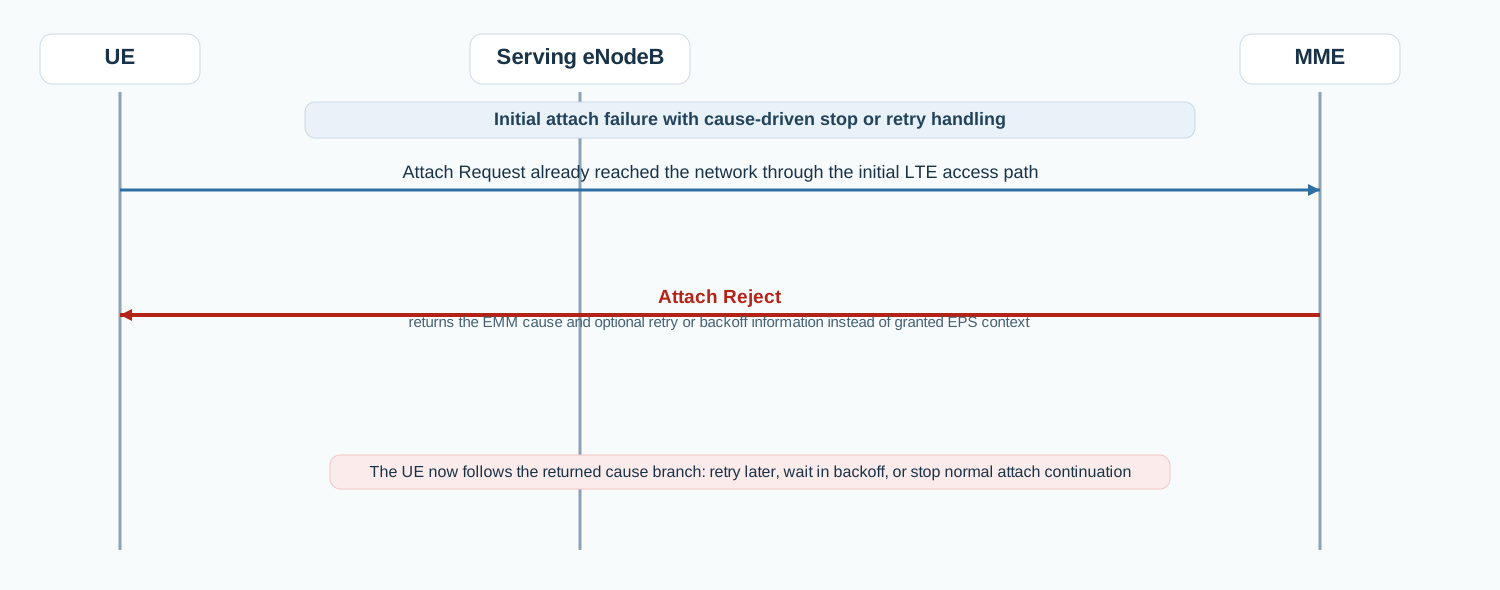
Initial LTE attach rejection
In the initial LTE attach path, Attach Reject ends the current attach attempt and returns the cause-driven behavior the UE must follow next.
Call flow position: Network reject message sent after the attach request is evaluated and not accepted.
Typical state: UE has started attach but the network is ending that attempt rather than granting EPS context.
Preconditions:
The UE sent Attach Request.
The network decided not to accept the current attach attempt.
Next likely message: Attach retry, backoff waiting, or deregistered behavior depending on cause
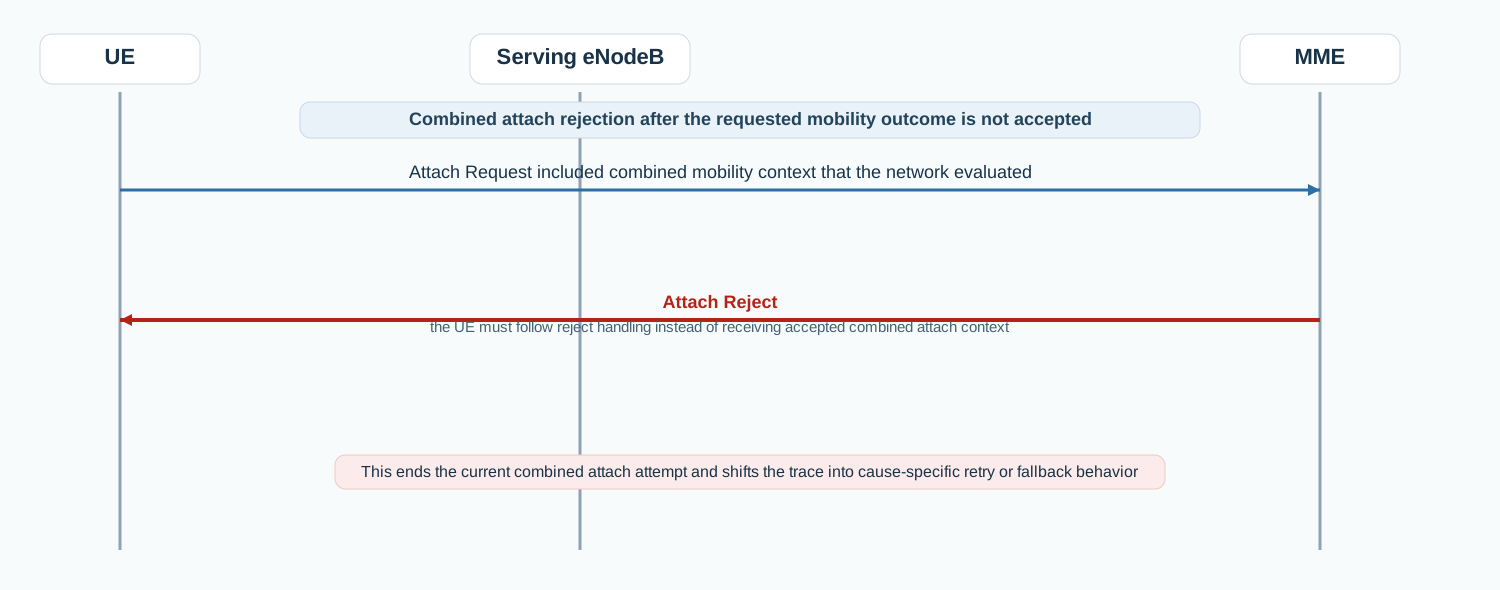
Combined EPS / IMSI attach rejection
In a combined EPS / IMSI attach rejection scenario, Attach Reject tells the UE that the requested mobility outcome was not accepted and that it must follow the returned reject handling.
Call flow position: Reject message sent when the combined attach path is not accepted.
Typical state: UE does not receive granted attach context and must follow the returned cause-driven handling instead.
Preconditions:
The UE requested a combined mobility path.
The network rejected the requested attach outcome.
Next likely message: Cause-driven retry or fallback handling
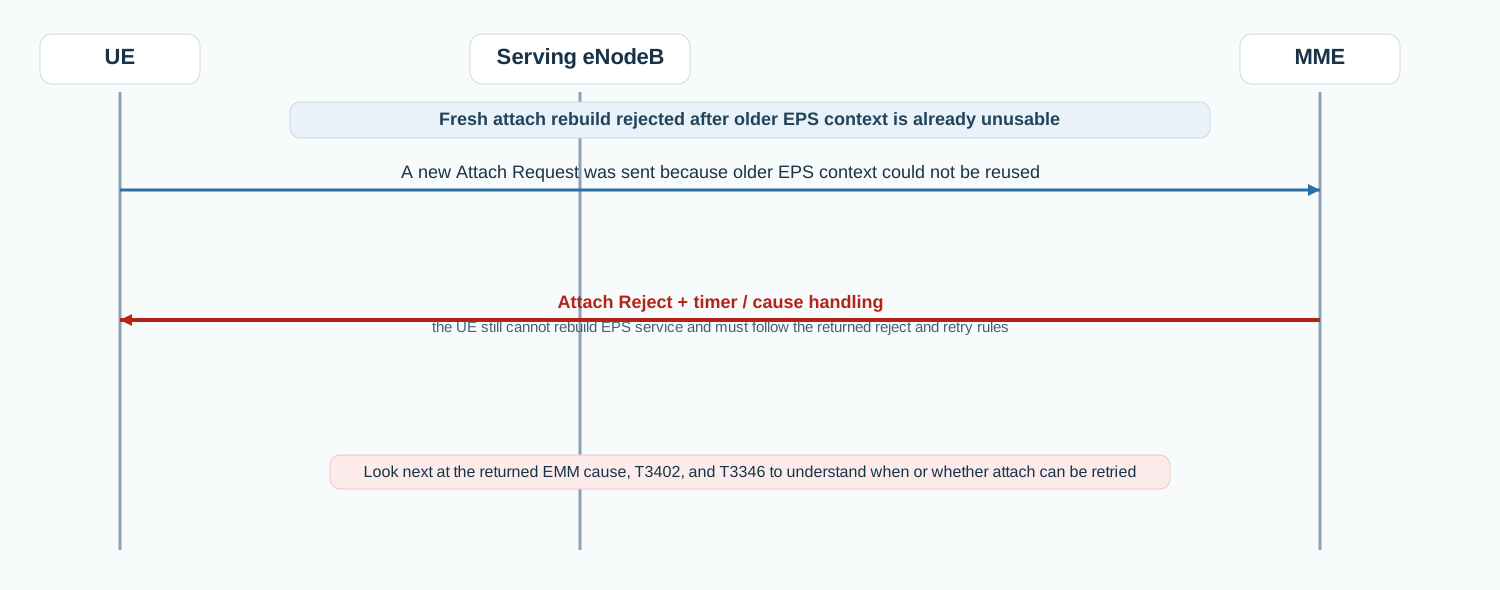
Re-attach after context loss rejected
When older EPS context is already unusable, an Attach Reject on the fresh attempt explains why the UE still cannot rebuild service and whether it must wait before retrying.
Call flow position: Reject message sent when a fresh attach rebuild after context loss is not accepted.
Typical state: UE remains without usable rebuilt EPS context and must follow the returned reject handling.
Preconditions:
Older context was not usable.
The fresh attach attempt was rejected by the MME.
Next likely message: Retry timer handling, backoff, or no service continuation
Interface: N1 over LTE access / S1-MME control path
Domain: Core-side EPS mobility management signaling that ends the current attach attempt and drives the next UE behavior
Signaling bearer: NAS signaling
Logical channel: Commonly carried in downlink NAS transport after the network decides not to accept the attach procedure
Transport / encapsulation: EPS NAS message sent by the MME and delivered to the UE through the eNodeB when attach is rejected
Security context: May be received with or without integrity protection depending on the attach stage and reject context, and some cause-handling depends on that protection state.
Message Structure Overview
Attach Reject is an EPS mobility-management message rather than an ASN.1 LTE RRC structure.
The practical reading path starts with EMM cause, then moves into T3402 or T3346, and only then into any optional ESM or extended-cause information.
In real traces, this is the message that tells you not just that attach failed, but how the UE is expected to behave next.
ASN.1 Message Syntax for LTE Attach Reject
Attach Reject
  EMM cause
  ESM message container               OPTIONAL
  T3346 value                         OPTIONAL
  T3402 value                         OPTIONAL
  extended EMM cause                  OPTIONAL
  lower bound timer value             OPTIONAL
How to read this message syntax
Attach Reject is a NAS layer-3 message, not an ASN.1 LTE RRC message. Read the syntax from the EMM cause first, then inspect any optional retry timers, extended cause, or ESM container because those fields explain the UE's next behavior.
May provide additional information associated with the main EMM cause.
Lower bound timer value
Optional
May be included with cause #78 to guide minimum storage time for the affected PLMN condition.
Detailed field explanation
EMM cause
Gives the main reason why the network rejected the attach request.
Presence: Required
In practice: In practice, compare this field with the original request and with any later release-dependent optional fields so you can see whether the network accepted the same service model the UE asked for.
ESM message container
May carry a single ESM message associated with the reject outcome.
Presence: Optional
In practice: In practice, compare this field with the original request and with any later release-dependent optional fields so you can see whether the network accepted the same service model the UE asked for.
T3346 value
May provide NAS-level congestion backoff information.
Presence: Optional
In practice: In practice, compare this field with the original request and with any later release-dependent optional fields so you can see whether the network accepted the same service model the UE asked for.
T3402 value
May indicate a retry timer for later attach attempts.
Presence: Optional
In practice: In practice, compare this field with the original request and with any later release-dependent optional fields so you can see whether the network accepted the same service model the UE asked for.
Extended EMM cause
May provide additional information associated with the main EMM cause.
Presence: Optional
In practice: In practice, compare this field with the original request and with any later release-dependent optional fields so you can see whether the network accepted the same service model the UE asked for.
Lower bound timer value
May be included with cause #78 to guide minimum storage time for the affected PLMN condition.
Presence: Optional
In practice: In practice, compare this field with the original request and with any later release-dependent optional fields so you can see whether the network accepted the same service model the UE asked for.
What to check in logs and traces
Confirm which Attach Request the reject belongs to.
Inspect the EMM cause first.
Check whether T3402 or T3346 was returned.
Inspect any ESM message container or Extended EMM cause.
Correlate the reject with the UE's next attach retry, backoff, or deregistered behavior.
Common Issues and Troubleshooting
Attach fails immediately after the request reaches the network.
Likely cause: Attach Reject is carrying the cause that ends the procedure, often due to roaming, identity, or subscription restrictions.
What to inspect: Check the EMM cause first, then verify any returned timer or optional ESM information.
Next step: Treat the returned cause as the main branch selector before debugging lower layers.
The UE does not retry attach when expected.
Likely cause: The reject may have included T3402 or T3346 and the UE is following the returned timer-driven backoff behavior.
What to inspect: Check T3402, T3346, and whether the UE stores the returned barred or forbidden context.
Next step: Correlate retry timing with the returned timer values before assuming a UE-side fault.
Attach outcome changes across cells or after restart.
Likely cause: The network may be returning different EMM causes, different forbidden-area information, or different timer values.
What to inspect: Compare EMM cause, timer values, and any returned optional IE set across working and failing traces.
Next step: Use Attach Reject as the primary explanation point for the changed attach branch.
LTE / 5G / Variant Comparison
Compared with Attach Accept
Attach Accept grants the attach and returns EPS context. Attach Reject ends the attach attempt and returns the failure branch the UE must follow.
Compared with Attach Request
Attach Request starts the attach procedure. Attach Reject is the network response when that request is not accepted.
Compared with LTE NAS Tracking Area Update Reject
Attach Reject blocks entry into EPS registration. Tracking Area Update Reject applies after the UE already had a different registration context.
FAQ
What is Attach Reject in LTE?
It is the EPS NAS message the network sends to indicate that the corresponding attach request was rejected.
What should I inspect first in Attach Reject?
Start with the EMM cause, then inspect any returned T3402, T3346, or optional ESM information.
Why is Attach Reject important in troubleshooting?
Because it tells you not only that attach failed, but also which reject branch and retry behavior the UE is expected to follow.
What usually comes after Attach Reject?
That depends on the returned cause and timers: the UE may retry later, wait in backoff, or remain out of normal attach continuation.
Decode this message with the 3GPP Decoder, inspect the related message database, or open the matching call flow to see where this signaling step fits in the full procedure.