Telecom engineering reference for protocols, messages, call flows, troubleshooting, releases, and tools.
Menu
NASLTEUE to MME3GPP TS 24.301
LTE Security Mode Complete
Security Mode Complete is the EPS NAS message the UE sends to confirm that it accepted the selected NAS security algorithms and has switched into the commanded protected state.
Message Fact Sheet
Protocol
nas
Network
lte
Spec
3GPP TS 24.301
Spec Section
5.4.3, 8.2.21
Direction
UE to MME
Message Type
EMM signaling
Full message name
LTE Security Mode Complete
Protocol
NAS
Technology
LTE
Direction
UE to MME
Interface
N1 over LTE access / S1-MME control path
Signaling bearer / channel
NAS signaling / Commonly carried in uplink NAS transport immediately after successful handling of Security Mode Command
Typical trigger
Sent immediately after the UE successfully processes Security Mode Command and activates the selected NAS security algorithms.
Main purpose
Confirms successful activation of the NAS security configuration chosen by the MME so the attach, TAU, or service procedure can continue securely.
Main specification
3GPP TS 24.301, 5.4.3, 8.2.21
Release added
Release 8
Procedures where used
EPS NAS Security Mode Control Procedure, LTE Attach Procedure, Tracking Area Updating Procedure, LTE Service Request Procedure
What is LTE Security Mode Complete in simple terms?
Security Mode Complete is the EPS NAS message the UE sends to confirm that it accepted the selected NAS security algorithms and has switched into the commanded protected state.
Confirms successful activation of the NAS security configuration chosen by the MME so the attach, TAU, or service procedure can continue securely.
Why this message matters
Security Mode Complete is the UE telling the network that LTE/EPS NAS security is now active.
Where this message appears in the call flow
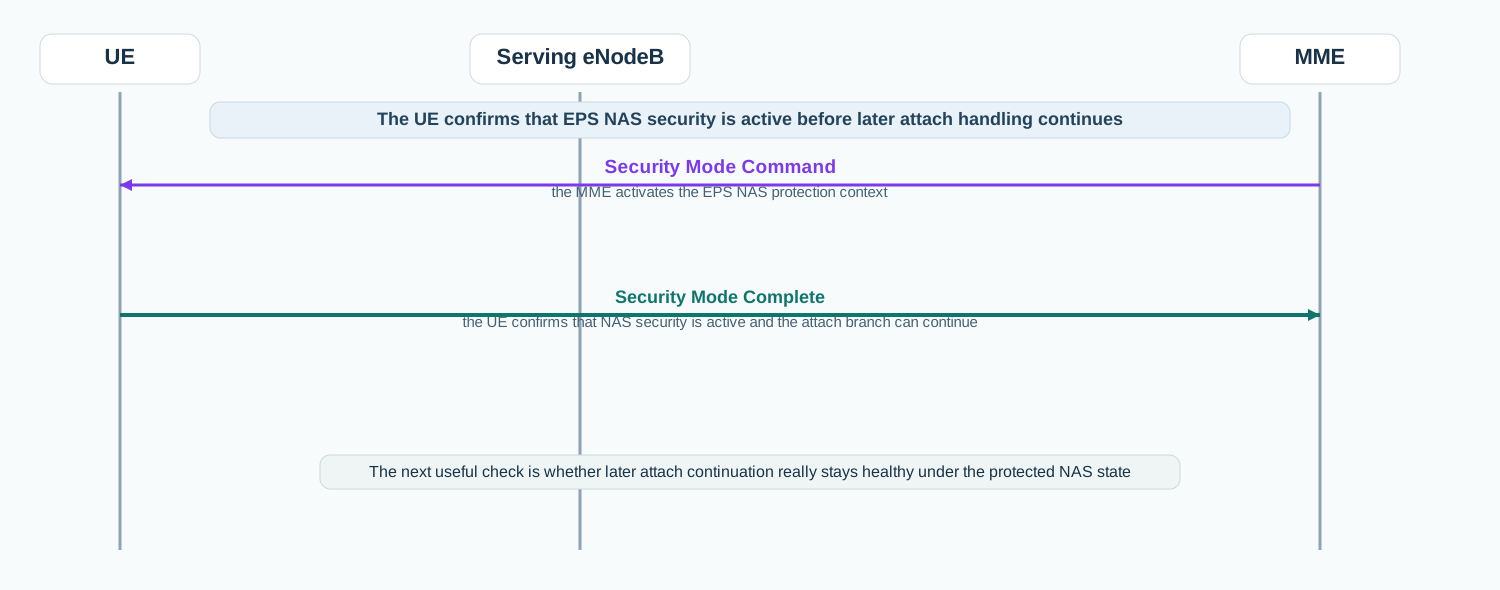
Initial LTE attach NAS security confirmation
In the attach path, Security Mode Complete is the UE confirmation that NAS security is active before later attach handling continues.
Call flow position: UE confirmation step after Security Mode Command and before later attach continuation.
Typical state: EPS NAS security is active and the procedure is ready to move into later attach handling.
Preconditions:
The UE received and accepted Security Mode Command.
The selected NAS algorithms and key set context are usable.
Next likely message: Attach Accept or later protected attach continuation
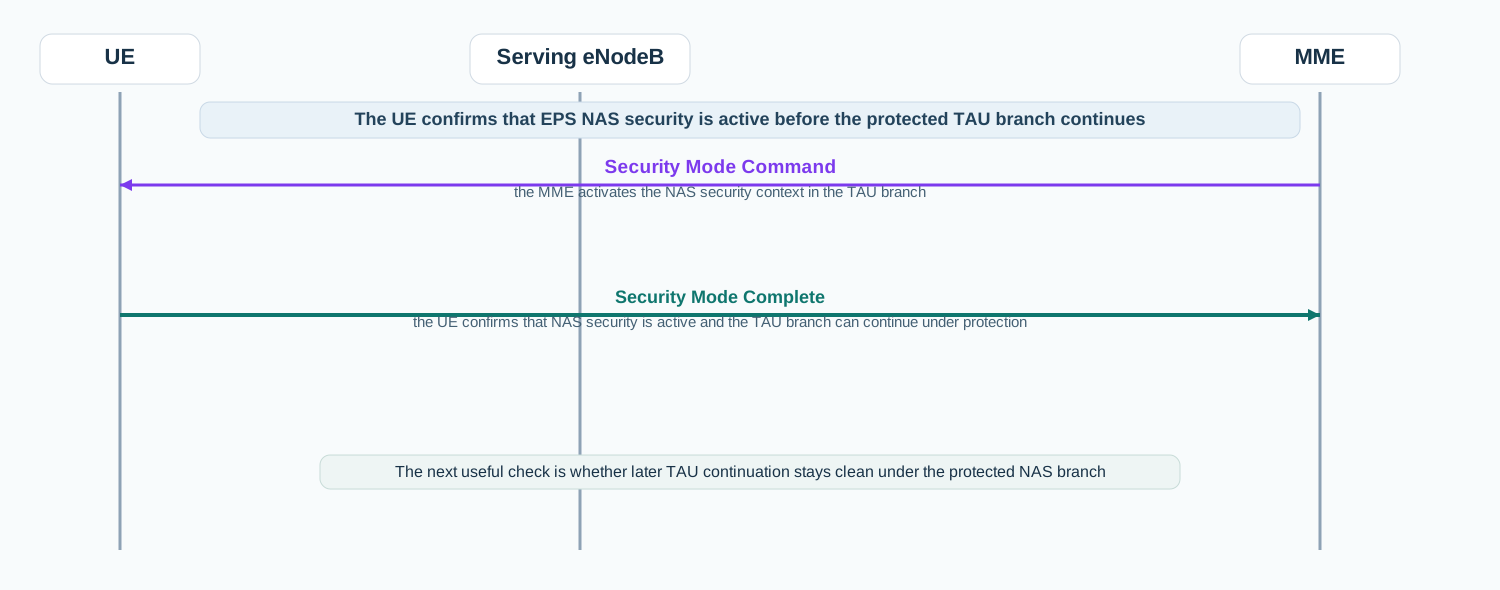
Tracking area update NAS security confirmation
In the TAU path, Security Mode Complete shows that the UE accepted NAS security before the protected mobility-refresh branch continued.
Call flow position: UE confirmation step after Security Mode Command and before later TAU continuation.
Typical state: The TAU branch is now under protected NAS signaling.
Preconditions:
The MME activated NAS security in the TAU branch.
The UE accepted the selected security context.
Next likely message: Tracking Area Update Accept or later protected TAU handling
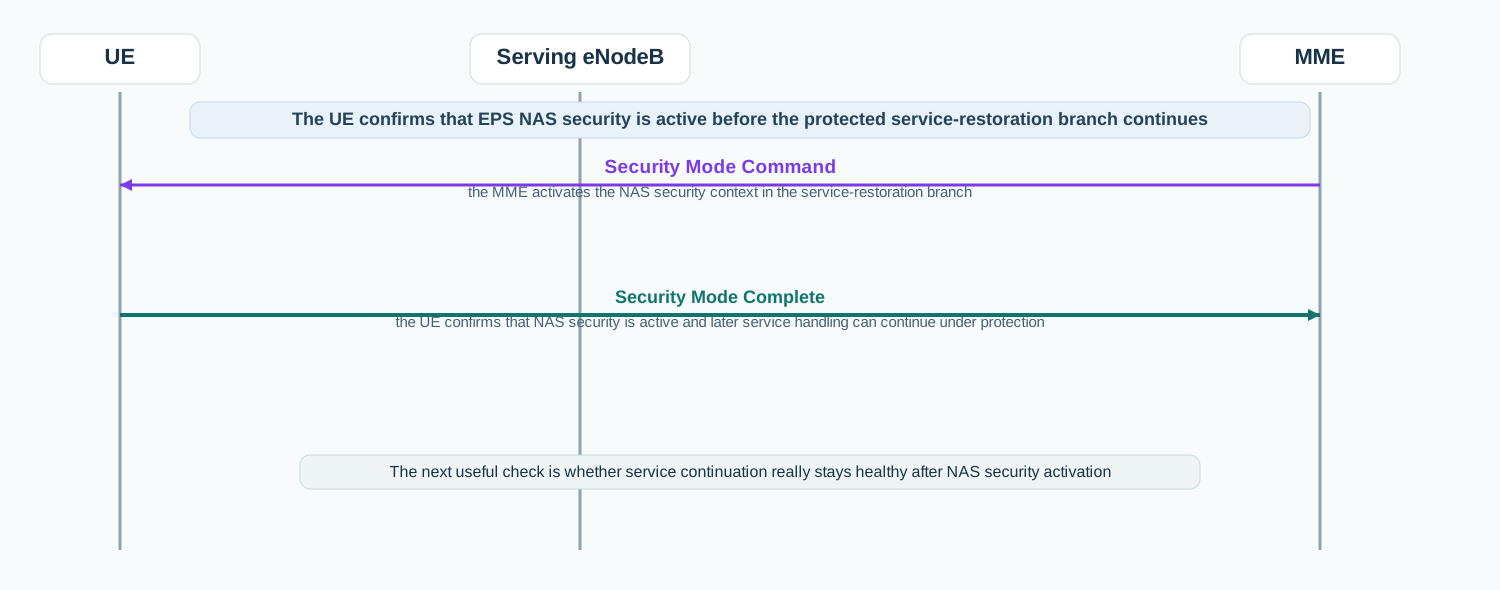
Service restoration NAS security confirmation
In the service-restoration path, Security Mode Complete is the UE checkpoint confirming that later service handling can continue under protected NAS signaling.
Call flow position: UE confirmation step after Security Mode Command and before later service continuation.
Typical state: The service-restoration branch is now continuing under protected NAS signaling.
Preconditions:
The MME activated NAS security in the service branch.
The UE accepted the selected security context.
Next likely message: Service Accept or later protected service handling
Interface: N1 over LTE access / S1-MME control path
Domain: Core-side EPS mobility management signaling with radio-side NAS transport
Signaling bearer: NAS signaling
Logical channel: Commonly carried in uplink NAS transport immediately after successful handling of Security Mode Command
Transport / encapsulation: EPS NAS message sent by the UE and delivered to the MME through the eNodeB as part of the NAS security mode control procedure
Security context: This message confirms that the UE accepted the selected EPS NAS security context and is now operating with that protected state.
Message Structure Overview
Security Mode Complete is an EPS mobility-management message rather than an ASN.1 LTE RRC structure.
The practical reading path is to confirm that it follows Security Mode Command and then check whether the protected branch continues cleanly.
In real traces, this message is the UE-side proof that NAS security activation succeeded.
ASN.1 Message Syntax for LTE Security Mode Complete
Security Mode Complete
  IMEISV   OPTIONAL
How to read this message syntax
Security Mode Complete is a NAS layer-3 message, not an ASN.1 LTE RRC message. Its main value is procedural: it confirms that the UE accepted the selected NAS security state.
LTE Security Mode Complete - Example Dump
Security Mode Complete
  Protocol discriminator: EPS mobility management
  Security header type: Integrity protected and ciphered with new EPS NAS security context
  Message type: Security Mode Complete
  IMEISV: not present
How to read this dump
The message is usually compact because its real meaning is procedural: the UE accepted NAS security and continued.
If IMEISV is present, compare it with the earlier request in Security Mode Command.
After this message, the useful next check is the first later protected NAS continuation message.
Important Information Elements
IE
Required
Description
IMEISV
Optional
Returned when the network requested IMEISV as part of the NAS security procedure.
Detailed field explanation
IMEISV
Returned when the network requested IMEISV as part of the NAS security procedure.
Presence: Optional
In practice: In practice, compare this field with the original request and with any later release-dependent optional fields so you can see whether the network accepted the same service model the UE asked for.
What to check in logs and traces
Confirm the message appears immediately after Security Mode Command.
Verify that the message uses the expected protected NAS security header treatment.
Check whether IMEISV is present when Security Mode Command requested it.
Correlate the message with Attach Accept, Tracking Area Update Accept, Service Accept, or later protected continuation.
Common Issues and Troubleshooting
Security Mode Command is present but later attach or TAU continuation never appears.
Likely cause: The UE may not have returned Security Mode Complete, or the first protected NAS continuation may have failed.
What to inspect: Check Security Mode Complete, its protection state, and the first later protected NAS message.
Next step: Use this message as the boundary marker between security activation and later mobility continuation.
Security Mode Complete arrives but the procedure still fails later.
Likely cause: NAS security activation likely succeeded, so the main issue may be in the later accept or policy branch.
What to inspect: Move analysis to Attach Accept, Tracking Area Update Accept, Service Accept, or any later reject handling.
Next step: Treat Security Mode Complete as proof that NAS protection was not the main failure point.
Two similar traces behave differently after authentication.
Likely cause: One trace may complete NAS security activation cleanly while the other stalls or diverges after Security Mode Command.
What to inspect: Compare Security Mode Command, Security Mode Complete, and the first later protected NAS message side by side.
Next step: Use the command/complete pair as the pivot between authentication and the rest of the procedure.
LTE / 5G / Variant Comparison
Compared with LTE Security Mode Command
Security Mode Command is the MME selecting the NAS security state. Security Mode Complete is the UE confirming that it accepted that state.
Compared with LTE Attach Accept
Security Mode Complete confirms NAS protection. Attach Accept is the later mobility outcome that follows once the protected attach branch continues.
Compared with LTE RRC Security Mode Complete
This page is the LTE NAS Security Mode Complete between the UE and MME. The LTE RRC Security Mode Complete is a different access-stratum message between the UE and eNodeB.
FAQ
What is Security Mode Complete in LTE NAS?
It is the EPS NAS message the UE sends to confirm that it accepted the selected NAS security configuration.
What should I inspect first in Security Mode Complete?
Start by confirming it follows Security Mode Command and uses the expected protected NAS security header.
What usually comes after Security Mode Complete?
The next step is often Attach Accept, Tracking Area Update Accept, Service Accept, or another protected NAS continuation message.
Does Security Mode Complete mean the whole LTE procedure is finished?
No. It means NAS security activation succeeded. The rest of the mobility or service procedure still has to complete.
Decode this message with the 3GPP Decoder, inspect the related message database, or open the matching call flow to see where this signaling step fits in the full procedure.